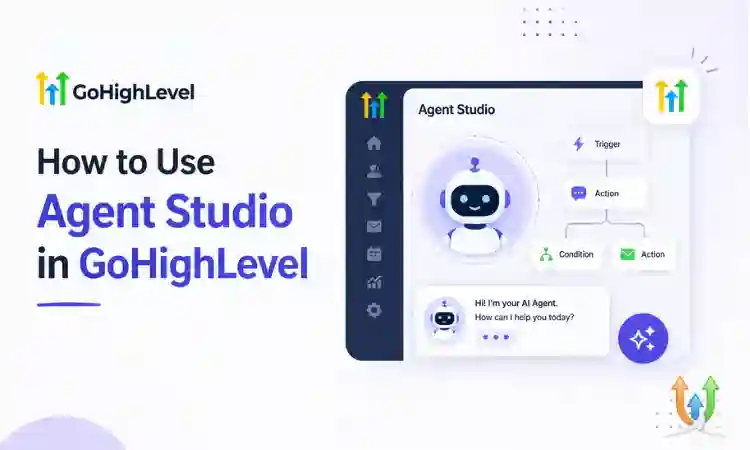
How to Use Agent Studio in GoHighLevel (Step-by-Step Guide)
Agent Studio is one of the most advanced features inside GoHighLevel. It allows you to create AI-powered agents that can handle conversations, qualify leads, respond to messages, and automate tasks without manual effort.
If you want to reduce response time, improve customer experience, and scale your automation, learning Agent Studio is essential. This guide explains how to set it up and use it effectively.
What Is Agent Studio in GoHighLevel
Agent Studio is a tool that lets you build AI agents inside GoHighLevel. These agents can communicate with leads and customers across SMS, email, chat, and other channels.
They can:
- Answer common questions
- Qualify leads
- Book appointments
- Trigger workflows
- Handle customer support queries
Why Use Agent Studio
Businesses use Agent Studio to automate communication and reduce manual work.
- Respond instantly to inquiries
- Improve lead conversion rates
- Save time for support teams
- Maintain consistent communication
Step 1: Access Agent Studio
To start:
- Log in to your GoHighLevel account
- Navigate to AI or Agent Studio section
- Create a new agent
This opens the interface where you can define your agent behavior.
Step 2: Define Agent Purpose
Before building your agent, decide what it should do.
Common use cases:
- Lead qualification
- Appointment booking
- Customer support
- Follow-up automation
Clear purpose helps you design better responses and workflows.
Step 3: Set Up Conversation Prompts
Agent Studio allows you to define how the AI responds.
Write prompts that guide the agent:
- Greeting message
- Questions to ask users
- Response style and tone
- Fallback responses
Keep messages simple and natural for better engagement.
Step 4: Connect Agent to Workflows
Agent Studio works best when connected to workflows.
For example:
- If a lead shows interest, trigger a follow-up sequence
- If a user books an appointment, send confirmation messages
- If a question is complex, assign it to a team member
You can combine this with email automation by following this guide: GoHighLevel Email Setup.
Step 5: Train the Agent
Provide examples and instructions so the agent understands how to respond.
- Add FAQs
- Define common scenarios
- Include business-specific details
The more context you provide, the better the agent performs.
Step 6: Test the Agent
Before going live:
- Run test conversations
- Check responses for accuracy
- Adjust prompts if needed
Testing ensures your agent delivers a good user experience.
Step 7: Deploy and Monitor
Once ready, deploy your agent across channels such as:
- Website chat
- SMS
Monitor performance and improve responses over time.
Use Case: Review Automation With AI
You can use Agent Studio to handle review requests and responses automatically.
For example, after a service, the agent can ask for feedback and guide users to leave a review. Learn more here: Automatic Review Generation in GoHighLevel.
Best Practices for Agent Studio
- Keep conversations simple and human-like
- Always provide an option to reach a real person
- Use clear instructions and prompts
- Monitor and improve responses regularly
- Avoid over-automation in sensitive situations
Common Mistakes to Avoid
- Creating overly complex prompts
- Not testing before deployment
- Ignoring user feedback
- Using generic responses without personalization
When to Work With a GoHighLevel Expert
Agent Studio can become complex when used at scale. If you want advanced AI workflows or integrations, working with a professional can help.
Experienced GHL developers can build custom AI agents tailored to your business.
Final Thoughts
Agent Studio is a powerful feature that can transform how you handle communication and automation in GoHighLevel. With the right setup, you can automate conversations, qualify leads, and improve customer experience.
Start with simple use cases, test your agent, and expand gradually. Over time, AI agents can become a core part of your business operations.
Author Bio
Lead GHL Developer
Harry’s been deep in the GoHighLevel world for 7+ years, tackling everything from tricky automations to custom API integrations that make clients’ systems hum. If there’s a way to streamline a process, he’s obsessed with finding it. When he’s not coding, he’s probably testing new GHL updates way too late at night.